
How to Search Cases by Name
Start with re:SearchTX, the official statewide portal for available Collingsworth County case records. Its guide splits the work into four areas: Cases, Filings, Text, and Hearings. Names repeat. One name can belong to several people. So weigh the county, the court, the case type, and any date clues. Until the docket facts line up, treat a same-name hit as a lead. It is not a match yet.
- Choose Cases and use the search term supported by the live screen.
- Narrow the result to Collingsworth County and the right court or category.
- Compare known filing dates, cause numbers, and hearing details.
- Open Case Details, then verify uncertain data with the clerk.
Some portal functions require registration or sign-in first. And a lookup does not grow more accurate just because private names get republished widely.
| Control | Type | Required | Use |
|---|---|---|---|
| Search keyword | Text | Not stated | Searches the chosen area |
| Cases | Tab | No | Available cases |
| Filings | Tab | No | Available filing records |
| Text | Tab | No | Indexed document text |
| Hearings | Tab | No | Available settings |
| Filters | Control | No | Narrows results |
Collingsworth Searches Start With Court
Collingsworth County keeps no single local database. The District Clerk holds the 100th District Court files: district civil, family, felony criminal, juvenile, and related matters. The County Clerk keeps County Court civil, misdemeanor criminal, probate, and other county-level files. Justice of the Peace courts countywide and Wellington Municipal Court each keep their own dockets.
Match the paper to the counter. A citation naming Wellington Municipal Court will not show up in a district docket search, and a felony pleading from the 100th District Court belongs to the District Clerk, not the County Clerk. The OCA directory helps you confirm courts and contacts. It does not search by name or cause number.
Key point: Match the forum first. The court level decides which clerk can confirm the official Collingsworth County record.
How to Search by Case Number
A cause number is the strongest key, because the court itself assigns it. Collingsworth County publishes no numbering pattern or public code legend. So copy the number exactly. Take it as it appears on the citation, notice, pleading, or clerk receipt. If the portal rejects it, change only punctuation in ways the live interface supports.
For a clerk request, copy the identifier as printed and name the court. A safe example is [exact cause number from court paper], not an invented local number. Say what you want: the docket register, one filing, an order, or a certified copy. Those are distinct records, and locating a case does not make every attachment public. When an older number or odd punctuation returns nothing, ask the clerk. Have the clerk confirm the format.
Collingsworth Search Is Limited
The active-courts listing marks Collingsworth civil and criminal e-filing as mandatory and search as limited. Limited search means the court-management systems are not fully integrated. Accepted filers may search their own case. But the public should not expect a complete index.
That is why an empty screen proves nothing. A case may lack integration, sit under a different index term, or carry access controls. When results stall, call the responsible clerk or visit the courthouse counter. Ask whether a public terminal exists, since none is documented online.
Two tools, two jobs. eFileTexas accepts filings; re:SearchTX searches available data. Filing credentials do not turn eFileTexas into a full Collingsworth County public docket.
What a Case Search Shows
A result is a doorway, not the whole file. The guide says links may open Case Details or Filing Details, and a hearing type may open a hearing dialog. Export and saved-search tools may depend on your account status.
| Cause number | The best identifier for verification. |
|---|---|
| Court | The County, District, JP, or municipal forum. |
| Filing date | When a case or paper entered, not a hearing date. |
| Docket entry | A short record of an event. |
| Setting | A scheduled event that may change. |
| Order or judgment | A court act that may be public or restricted. |
Read docket words with care. "Filed" does not mean granted, "Set" does not mean decided, and "Disposed" in an OCA report is an aggregate count rather than the outcome of any named case.
Collingsworth Search Failure Clues
Different gaps point to different checks. A case with no document may hold an attachment that is restricted or not indexed. A case with no hearing may simply have no future setting, or a portal lag, or local data that never got integrated. Remember that a directory row proves a court exists, not a case status.
- No result
- Check the court, spelling, number, integration, and clerk file.
- Case, no filing
- Ask for the specific public filing.
- Case, no hearing
- Verify with the court or coordinator.
- Restricted result
- Ask which rule, statute, or order controls access.
A strong fallback request names three things: the court, the case number or a narrow date range, and the item you want. Then ask whether the public docket, a filing, or a certified copy is available. Ask the current fee too.
County vs Statewide Case Search
Collingsworth County hosts no public search form of its own. The county pages offer clerk contacts and counter access instead. re:SearchTX provides the online layer, with coverage that still depends on integration and record type. Use the channels in sequence: county pages first, then the portal, then the clerk.
| Point | re:SearchTX | Local clerk |
|---|---|---|
| Reach | Available Texas records | Files held by that office |
| Best use | Cases, filings, text, hearings | Verify and request official items |
| Limit | Integration and access rules | No posted search form |
Clerk pages list phone, fax, email, and a courthouse counter. They do not promise fax or email as an order route. Confirm submission, payment, and delivery before you rely on either.
Verify Collingsworth Case Results
The official re:SearchTX source is the statewide access point for a Collingsworth County case lookup.
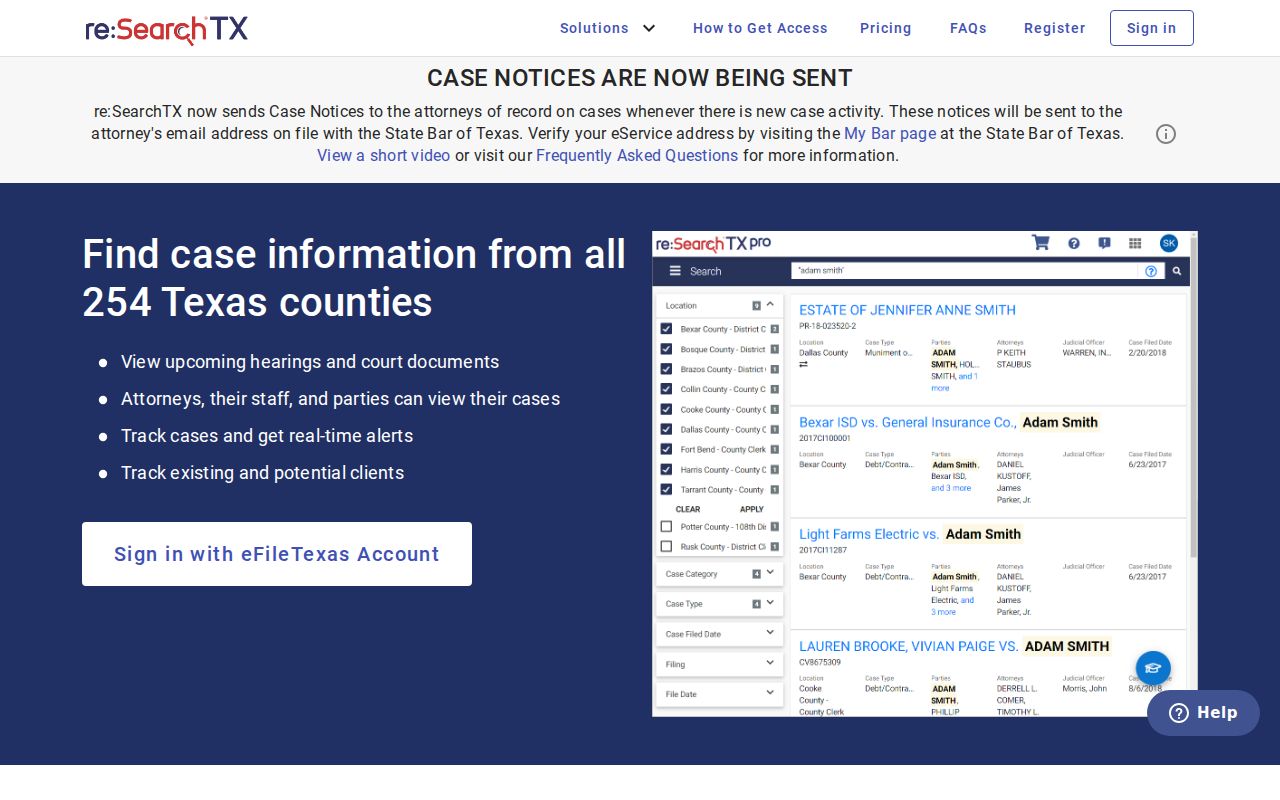
The portal above points to the right government site. Yet the clerk's official file still controls whenever online detail runs partial or stale. Compare the cause number, the court, the case type, and the latest event. After any reset, continuance, dismissal, or closure, confirm the hearing with the court. An export makes a handy note, but it is not a certified record.
Restricted Collingsworth Case Records
Access depends on what the record is and who keeps it. Juvenile cases can stay confidential under Family Code Chapter 58. Expunction, nondisclosure, and sealing orders may shut off criminal or civil material too. Even then, some docket facts in a family file can remain public. The protected details stay closed off.
The OCA policy draws a line between Rule 12 administrative records and case files. For a pleading or a docket, go to the clerk who holds the case. Do not send OCA a broad request. If a clerk denies access or redacts a filing, ask which rule, statute, or order applies. Then ask how to appeal it.
Online absence may mean restricted, unintegrated, unindexed, or nonexistent data. It does not establish sealing, expunction, dismissal, or acquittal.
Collingsworth Clerk Search Fallback
Both clerk offices list the same person, Jackie Johnson. The District Clerk and County Clerk pages give 800 W. Avenue, Box 10, Wellington, TX 79095, phone 806-447-2408, fax 806-447-2409, and collingsworthclerk@co.collingsworth.tx.us. Address the office that matches the court handling your case.
Call before you mail, fax, or email a request. Include the court, the exact cause number, a narrow date range, the document name, and the copy type you need. Settle the fee, payment method, and delivery options in advance, and ask whether inspection or a public terminal is offered. JP cases go through the JP office. Wellington municipal matters go to the municipal contact.
The Collingsworth County court record search sorts out the difference between docket entries, documents, and certified copies.
Collingsworth Hearings Search
The Hearings tab stands apart from Cases, Filings, and Text. It is the right place to check a setting. But verify that the result belongs to the correct court first. A hearing dialog can display the type and details. It does not prove every local setting is indexed or current. The clerk posts no public calendar for County Court, District Court, the JP, or Wellington Municipal Court. So confirm the date, time, court, status, place, and how to participate. A reset only moves a setting. It does not end the case. And a filing date is never a court date.