
Searching the Collingsworth County Court Docket
Every Collingsworth County court docket search begins with one question: which court holds the case? Sort that out first. The county website works as an office directory, not a live case database. The real starting point online is re:SearchTX. Treat the responsible clerk as the local source of truth anyway. The portal can search cases, filings, text, and hearings. Results appear only when a court has supplied the data. Collingsworth County carries a "Search Limited" mark on the state filing-system list, so the online view may not hold the full local record.
A cause number is the best search key. Without one, gather the court name, case type, a narrow date range, and the search terms the portal actually accepts. Broad name searches can blur courts and counties together. Keep the 100th District Court, Collingsworth County Court, the countywide Justice of the Peace, and Wellington Municipal Court clearly separate from the first step.
- Identify the court printed on the citation, notice, pleading, or order. Court level determines the record keeper.
- Open re:SearchTX and choose Cases, Filings, Text, or Hearings. Use the cause number when it is known.
- Narrow the result to Collingsworth County, the right court, case type, and date range. Check that each result truly matches.
- Read entries as a timeline. A filing is not a ruling, and a setting is not proof that the event still will occur.
- Call or write the responsible clerk for a missing item, a current setting, or an official certified copy.
When Collingsworth Docket Search Stops Short
An empty result online does not mean no Collingsworth County court docket exists. Filing and searching run on different tracks. The eFileTexas active-courts list marks Collingsworth civil and criminal filing as mandatory while marking search access as limited. eFileTexas receives filings. re:SearchTX adds a separate public search layer on top. A case can sit in the clerk's system. Not every entry or document is open through a web search.
Check the spelling and the cause-number punctuation first. Then step away from the statewide tool and go to the local office. A missing document may be sealed or confidential. It may be not indexed or simply not integrated. A case with no hearing result may have no future setting, a portal delay, or a setting kept on a local sheet. Ask the clerk for the public docket or register. Do not rely on whether a name appears online.
Key point: “No result” means the search did not return a match. It does not certify that Collingsworth County has no case.
Inside a Collingsworth County Court Docket
Think of a Collingsworth County court docket as a chronological case register. Entries may identify the court and cause number. They may also carry filing dates, scheduled events, motions, orders, service activity, and disposition. How much of that detail is public varies. Court and record type drive the difference. Collingsworth County publishes no standard sample register. So treat the field descriptions as a checklist of what to look for, not a promise that every local docket uses the same screen or labels.
| Cause number | The court's strongest lookup key; preserve its punctuation and spacing. |
|---|---|
| Court and case type | The forum and category that identify which clerk owns the record. |
| Docket entries and filings | Dated events or documents; “filed” does not mean “granted.” |
| Hearing settings | A date, time, type, judge, or status when made public; verify changes locally. |
| Orders and judgments | Written court action, which may carry more detail than a short docket note. |
| Disposition | The recorded outcome or status, subject to the exact order and later action. |
Use the docket to find the event. Then request the filed document itself when the exact words of an order matter. An OCA activity report is different: it counts aggregate work and cannot show what happened in one case.
Collingsworth Docket Terms in Plain Words
Texas courts lean on short terms that can sound more final than they are. Collingsworth County has published no local code legend. So never invent an expansion for a clerk's abbreviation. These common words are safe starting points, but the entry and the filed order control the meaning in a real case.
- Setting
- A scheduled court event. It may be reset, continued, or cancelled.
- Motion
- A request asking the court to act. Filing it does not show that it was granted.
- Continuance or reset
- A move from one setting to another. Confirm the new date with the court.
- Disposition
- The recorded resolution or status, not proof that each document is public.
- Certified copy
- A copy authenticated by the clerk. It differs from a printout or screen result.
For any term that changes a deadline or a legal right, read the full order. Then confirm the current Collingsworth County court docket with the clerk.
Courts That Keep Dockets in Collingsworth County
Collingsworth County has no single all-purpose clerk counter and no one complete public database. The forum controls the route. The Texas Office of Court Administration directory confirms the local court structure. State statutes set the broader jurisdiction. Use the table as a routing map, then check the named court for the exact assignment.
| Court | Docket Covers | Where to Search |
|---|---|---|
| 100th District Court | District civil, family, felony criminal, juvenile, probate, and child-protection categories | District Clerk; re:SearchTX if indexed |
| Collingsworth County Court | Constitutional county criminal, probate, civil, and juvenile categories as assigned | County Clerk; re:SearchTX if indexed |
| Countywide Justice of the Peace | Small claims, eviction, other JP civil work, and fine-only criminal matters | Justice of the Peace office |
| Wellington Municipal Court | City ordinance and fine-only Class C matters, including many traffic citations | Municipal Court; no official local portal found |
The 100th District Court serves several counties. That makes the Collingsworth county filter vital in any docket search. Federal cases never enter this route; they belong to PACER and the Northern District of Texas.
Four Collingsworth Docket Channels
Online search is one channel, not the whole access system. The county's official clerk pages document a counter, phone, fax, email, and mailing address. re:SearchTX supplies the statewide search layer on top. Since the county pages promise no public terminal and no online local docket, call before traveling if a terminal or same-day copy matters to you.
| Channel | Best use | Limit |
|---|---|---|
| re:SearchTX | Search indexed cases, filings, text, and hearings | Collingsworth search is limited |
| Clerk counter | Inspect a court-specific public register or ask for copies | Confirm access and payment first |
| Phone, email, fax, or mail | Ask how to request a known docket or filing | No published promise that every request method is accepted |
| Rule 12 request | Administrative judicial records held by a custodian | Not a universal route for adjudicative case files |
A clear request names the court, the cause number or a narrow date range, the item you want, any desired certification, and the delivery method. Ask for current fees before sending funds.
How to Find Court Dates and Settings
When the Collingsworth County court docket is indexed, search the Hearings area in re:SearchTX. Open the hearing detail. There you can check the court, case, event type, date, time, judge, location, status, and any remote indicator. The statewide tool demonstrates a hearing workflow, but the county and local court pages publish no complete Collingsworth calendar. Whatever the result says, verify it with the court that set the event.
A reset or continuance only moves a setting. It does not dismiss the case. A missing future hearing can mean there is no current date. The entry may not have reached the portal yet. Or the court keeps the setting on a local sheet. The full Collingsworth County court dates walkthrough lists phone, counter, and statewide routes. If a deadline is near, contact the named court at once. Do not wait for a web change.
Collingsworth Court Activity Is Not a Docket
The OCA fiscal 2024 reports tally county-level activity. District, constitutional county, justice, and municipal courts each appear. The rows show workload and which case categories each Collingsworth court reports. What they lack is the person-level detail a docket search needs. No names, no hearing dates, no filings, no outcomes. Even a zero only means the table shows no reported activity. It never means no case existed.
Statistical reports speak in totals: filed, disposed, pending, clearance. A clerk's docket speaks in dates and entries for one case. Keep the two straight. Use OCA reports to understand the local system, and use the clerk or re:SearchTX to locate a Collingsworth County case. That distinction keeps a county total from being mistaken for a search result.
Public Access to Court Dockets
Texas does not treat court access as one blanket open-records rule. The Texas Public Information Act sends judiciary information to applicable law. It also defers to Supreme Court rules. Rule 12 covers public access to administrative judicial records. Case files used to decide a matter are different. Those adjudicative records answer to court-specific statutes and procedural rules. Sealing orders and the clerk's own access practices apply too.
Key Rules:
Texas Rule of Judicial Administration 12 sets the written-request and custodian process for administrative judicial records.
Texas Family Code Chapter 58 protects and regulates access to juvenile information.
Texas Code of Criminal Procedure Chapter 55 governs expunction procedures and their effect.
Some material stays out of view. Sealed, juvenile, family, and confidential records may be withheld or left off an online display, and a public case index does not guarantee access to every filed document. When an item is denied, ask the record keeper what can be inspected and which order or law applies.
From Collingsworth Courthouse to Statewide Search
The Texas Historical Commission Atlas lists Wellington's active courthouse. It is a 1931 Art Deco building designed by Berry & Hatch. Records still route through the offices inside it. Texas has moved filing and much public access online all the same. The county website itself stays a directory, not a Collingsworth County court docket database.
Two systems now carry the load. eFileTexas handles electronic filing. re:SearchTX is the separate case-search and document-access layer. The state keeps pushing broader clerk integration, though local coverage varies. Old courthouse record rooms, mandatory e-filing, and partial statewide search sit side by side. That mix explains why a Collingsworth docket lookup often moves from screen to phone or counter.
For the county's own role, the official Collingsworth County homepage directs visitors to the clerk. It also points them to the courts.
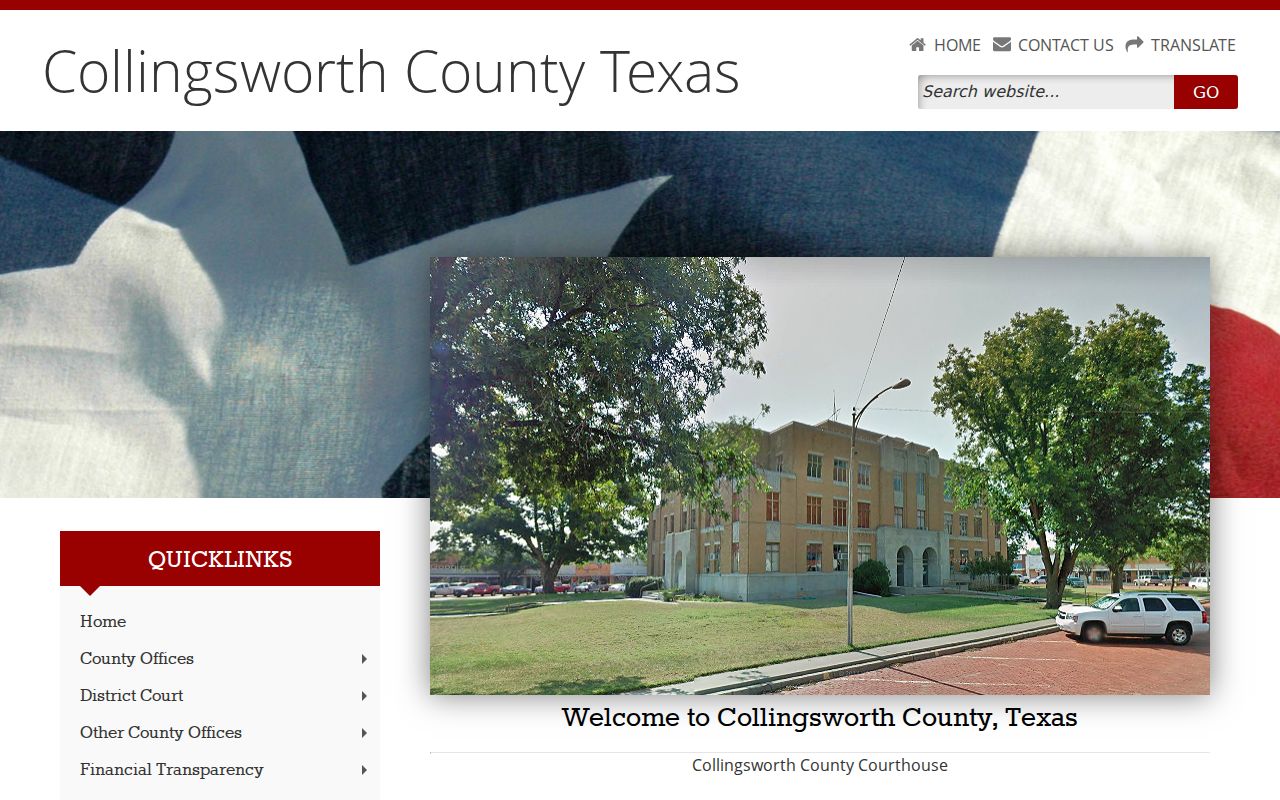
It points users toward the clerk and the courts, but it does not replace their case registers.
Docket Records at the Clerk's Office
Jackie Johnson appears on both the official County Clerk and District Clerk pages. One name, two legal functions. The County Clerk route covers Collingsworth County Court civil, misdemeanor-criminal, probate, and county records. The District Clerk route covers 100th District Court records. That docket covers civil, family, felony, juvenile, and other district matters. Ask for the clerk in the capacity tied to the court on your case.
Both pages post phone, fax, email, and a courthouse address. Neither publishes a full docket-copy or certified-copy fee schedule. The County Clerk page lists $16 for a first page and $4 for each additional page. Those figures apply to Official Public Records recording, not a verified court-docket copy fee. Before mailing anything, confirm the request method, fee, accepted payment, and delivery.
County Clerk and District Clerk
800 W. Avenue, Box 10
Wellington, TX 79095
806-447-2408
Prepare a Collingsworth Docket Request
A focused request helps the clerk pull the right Collingsworth County court docket. It also avoids gathering more personal data than needed. Name the court first. Then add the cause number, or give a narrow date range and case type. Say exactly what you want. Choices include docket sheet, hearing setting, filed document, order, judgment, plain copy, or certified copy.
Ask about counter inspection. Ask whether mail, fax, or email requests work for that item. Request the current fee and payment method. If the record is restricted, find out which part can be released. Ask too whether a written process applies. Keep sensitive identifiers out of ordinary email unless the clerk directs a secure method.
Rule 12 fits only when the item is an administrative judicial record. A pleading, order, or docket in an adjudicated matter belongs on the court-and-clerk route. That one distinction can save a rejected request.
Collingsworth State and Federal Dockets
A Collingsworth County court docket and a federal docket live in different systems. State trial matters follow the local court map and re:SearchTX. Federal civil and criminal matters tied to Collingsworth County fall within the Northern District of Texas, Amarillo Division, when federal venue rules place them there. Federal bankruptcy goes through the bankruptcy court system.
| Record | Search route | Verification point |
|---|---|---|
| Texas trial-court matter | re:SearchTX and local clerk | County, district, JP, or municipal custodian |
| Federal district or bankruptcy matter | PACER | Federal clerk and CM/ECF record |
| Texas intermediate appeal | Seventh Court of Appeals | Appellate clerk and docket |
CourtListener's RECAP collection may hold some federal documents. It stays incomplete, though, and it is not the originating court. PACER or the federal clerk remains the official check.
Collingsworth County Court Dockets by City
Official Census and Texas sources list only two incorporated places in Collingsworth County. Those places are Wellington and Dodson. Wellington has an OCA-listed Municipal Court. It handles city ordinance and fine-only Class C matters, including many traffic citations. Dodson has no separate court page or portal. Check the printed court name on your citation before you act. Dodson matters must not be sent to Wellington by assumption. County and district cases from either place route to the proper clerk. That clerk sits at the county courthouse.
Wellington Docket Search
County seat · OCA lists Wellington Municipal Court; no official city docket portal was located.
Dodson Docket Search
Incorporated town · no official municipal court, calendar, payment page, or docket portal was located.
Map and Directions to the Collingsworth County Courthouse
County Court and 100th District Court records are kept at the Collingsworth County Courthouse, 800 West Ave., in Wellington, the county seat. The building is a 1931 Art Deco courthouse designed by Berry & Hatch, and it still houses the County Clerk and District Clerk counters that Jackie Johnson runs under both titles. The Justice of the Peace office is on the second floor, Room 5, of the same courthouse.
County Clerk and District Clerk
800 W. Avenue, Box 10
Wellington, TX 79095
806-447-2408
Justice of the Peace
800 W. Avenue, 2nd Floor, Room 5
Wellington, TX 79095
806-447-5555
Monday through Thursday, 8:00 a.m. to noon and 1:00 to 5:00 p.m.; Friday, 8:00 a.m. to noon.
The county's posted hours can be stale on some pages, so call before a time-sensitive trip. No official parking, ADA-entrance, or security-screening notice was found for this courthouse, so ask the clerk about access when scheduling a visit.